

Direct answer: a website can be absent from Google because Google has not discovered or indexed it, because crawling is blocked, because a page asks not to be indexed, because the page is technically difficult to process, or because it does not match the search query strongly enough to appear where you expect. First separate indexing from ranking: a page that is indexed can still rank beyond the results you checked.
By SPOTMEDIA. This article is a troubleshooting framework, not a promise of first position, traffic, leads, or a fixed time to visibility.
Key takeaways
- Check the exact URL in Google Search Console before assuming that the whole domain is invisible.
- Confirm that the page can be fetched, is not accidentally marked
noindex, has a usable canonical, and is not excluded by an inappropriate access rule. - A sitemap is a discovery hint, not a guarantee of crawling or indexing. It cannot repair blocked resources, duplicate pages, thin answers, or weak site architecture.
- Robots rules are not a reliable way to remove a URL from the index. If Google must read a
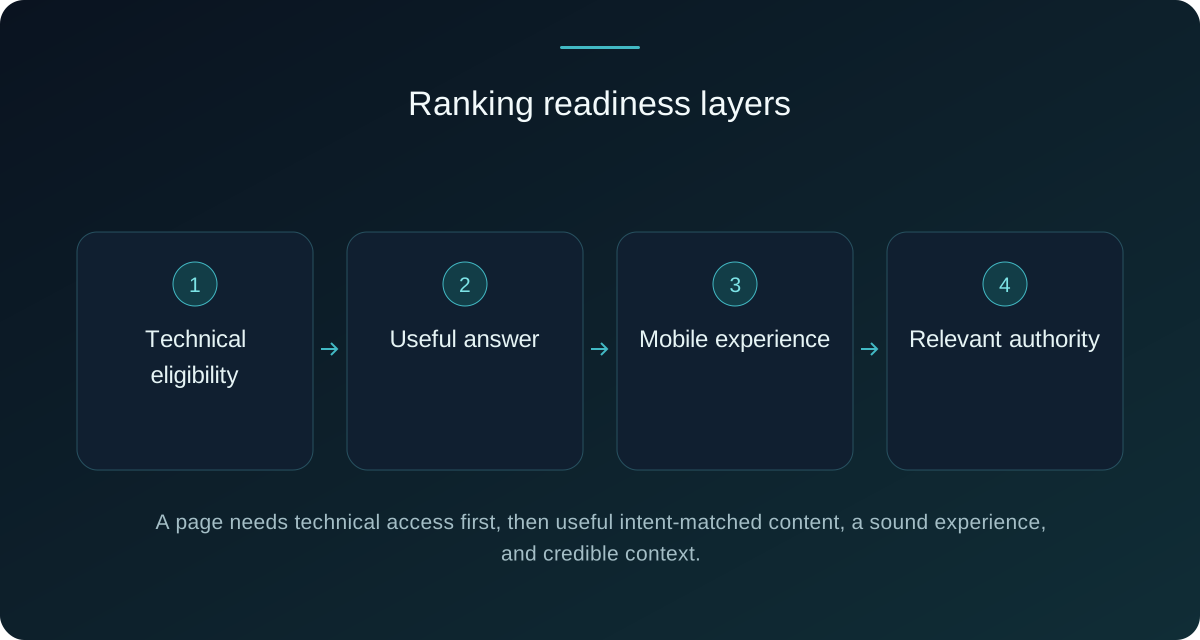
noindexdirective, the page must remain crawlable; a blocked page can prevent Google from seeing that directive. - After technical eligibility, improve the page’s answer, search intent, internal links, mobile experience, performance, and relevant authority.
Indexing or ranking: what is the problem?
People often say that a site is not showing on Google when they mean one of several different situations. The domain may be new and not yet discovered. A specific page may be excluded from the index. The page may be indexed but rank for a different phrase, a location, or a result type than the owner expects. A manual action, a security issue, a migration mistake, or a technical rendering problem can also change visibility.
| Observed symptom | First question | Next action |
|---|---|---|
| No page from a new domain appears | Can Google discover and fetch the home page? | Inspect the URL, check access rules, and link the site from relevant owned properties without assuming immediate indexing. |
| One important URL is absent | Is the URL excluded, duplicated, redirected, or canonicalised elsewhere? | Read the exclusion reason and compare the intended canonical, content and internal links. |
| Pages are indexed but receive no impressions | Does the page answer a real query and target the right audience? | Review intent, title, content depth, internal links and demand rather than adding random keywords. |
| Traffic fell after a redesign | Did URLs, redirects, templates, links or directives change? | Compare the old and new crawlable architecture and inspect representative URLs. |
A diagnostic order that avoids guesswork
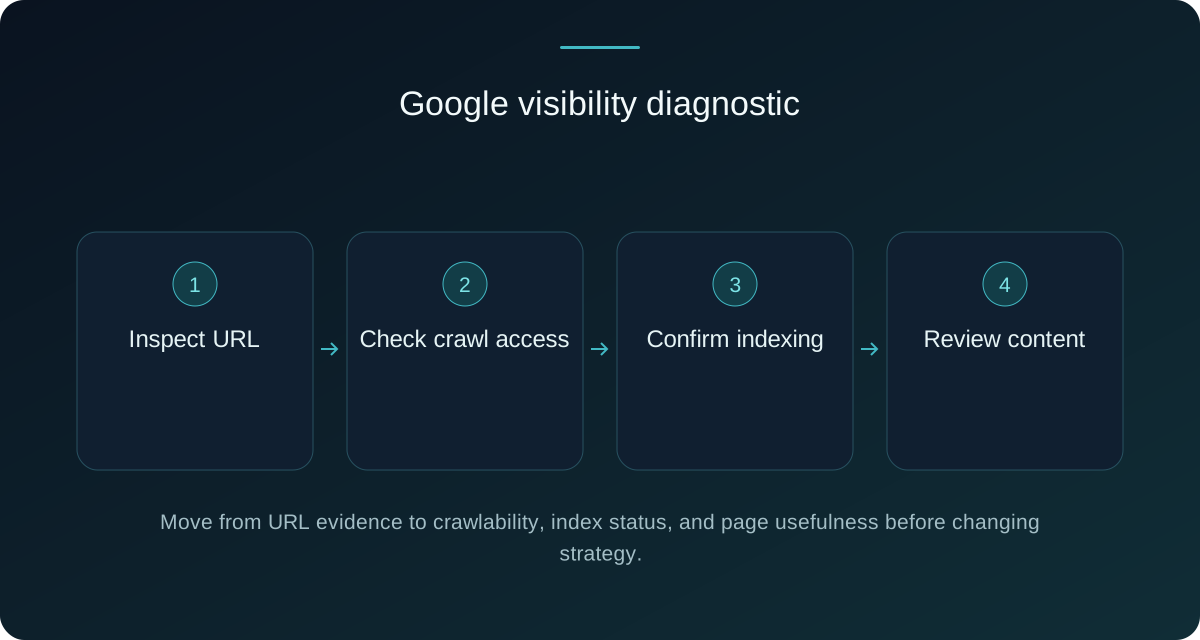
Use a fixed sequence so that a later content change does not hide an earlier access problem.
1. Confirm the URL and property
Copy the canonical URL as a user would access it, including protocol, hostname, path, trailing slash and important parameters. Make sure the Search Console property covers the correct domain or URL prefix. Inspect the exact page, not only the home page. Note redirects, the user-declared canonical and the canonical Google selected. A staging hostname, alternate protocol, or recently changed path can make an owner inspect the wrong property.
2. Check fetchability and response behaviour
A browser showing a page does not prove that a search crawler can process it correctly. Check the response status, redirect chain, authentication requirement, server errors, important scripts, CSS, images and rendered content. An intentional 404 or a page requiring a logged-in session should not be expected to rank as a public landing page. Review firewall or hosting controls carefully; do not loosen security broadly just because one crawler request failed.
3. Read directives and canonical signals
Look for a noindex meta directive or an equivalent HTTP header, and review the canonical link. A canonical is a signal, not a command, and it should represent the preferred near-duplicate URL. A page marked noindex should not be expected in search. Importantly, blocking the URL in robots rules is not a dependable deindexing method: if crawling is blocked, Google may not be able to read the noindex instruction. Use access rules for crawl control, and use an index directive when the goal is to keep a crawlable page out of the index.
4. Check discovery and site structure
Important pages should be reachable through normal, crawlable internal links, not only through a search box, a script interaction, or a submitted sitemap. Use descriptive links from relevant pages and avoid creating thousands of near-identical filter URLs. A sitemap can help search engines discover preferred URLs, but it is a hint rather than a guarantee. Keep it accurate, return valid URLs, and do not use it as a substitute for a coherent information architecture.
Crawlability, robots, and noindex
Robots controls are easy to misuse because several mechanisms sound similar. The robots.txt file can request that crawlers do not fetch paths, but it does not by itself guarantee removal from search results. A page-level noindex directive tells a compliant search engine not to include a crawlable page in its index. Authentication, HTTP status codes, canonical signals and site navigation create other constraints. Treat each as a separate decision.
Read the live robots file at the exact origin and inspect syntax, user-agent scope, disallowed paths, sitemap declarations and accidental rules inherited during a migration. Do not block JavaScript, CSS or image resources that are necessary to understand the page without a clear reason. Then inspect the HTML response and rendered page for index directives. The authoritative Google Search Central documentation on robots meta tags explains why a noindex instruction must be available to the crawler.
For a URL that should rank, remove accidental noindex and access barriers only after confirming the desired public state. For a URL that should not rank, choose the appropriate directive and ensure the crawler can read it; do not rely on blocking as a deindexing shortcut. Take care during staging-to-production migrations, where a noindex setting or disallow rule can be copied unintentionally.
Sitemaps and Search Console
Submit a clean XML sitemap when the site benefits from a consolidated list of canonical URLs, especially after a migration or when internal discovery is difficult. Include URLs that are intended to be indexable and return successful responses. Exclude redirects, blocked URLs, obvious duplicates and pages marked noindex. A sitemap can support discovery, but it is not a vote that guarantees indexing, ranking, or a particular crawl frequency.
Search Console is most useful when treated as an evidence log. For representative URLs, record coverage or indexing state, last crawl, selected canonical, enhancements, manual actions, security issues and performance data. Look for patterns: a whole template excluded, one language folder blocked, or many URLs canonicalised to a home page. After a meaningful fix, request a new crawl for a small number of priority URLs and allow the system to process the wider site naturally. Repeatedly requesting indexing does not replace fixing the cause.
Content and search intent
When a page is technically eligible but invisible for a query, ask whether it deserves to answer that query. A service page should explain the service, audience, scope, constraints and next step. An article should answer the question directly, use terminology readers understand, and add detail that helps them decide or act. A title that promises a guide while the page contains only a short sales paragraph creates a poor match.
Review each important page for one clear purpose, an accurate title, a concise introduction, useful headings, original explanation, meaningful examples, current contact details, and a natural next step. Avoid copying near-identical city pages or replacing substance with repeated keyword variations. If two URLs answer the same question, consolidate or differentiate them deliberately and use canonical signals consistently.
Experience, internal links, and authority
Internal linking
Link important pages from related, crawlable pages with descriptive anchor text. A service page can link to an explanatory article, while an article can link to the relevant service and to a deeper technical guide. Avoid a footer containing every URL or a cluster of links with no context. Review orphan pages, broken links, redirected links and inconsistent language paths during an audit.
Hypothetical cases
Hypothetical case: a redesign removed visibility
Imagine a company that moved from one CMS to another and saw key pages disappear. A responsible investigation would compare old and new URL maps, check redirects and canonical tags, inspect the production robots file and noindex directives, test internal links, and review the sitemap. Only after the migration signals are coherent should the team revise page content. This example is hypothetical, not a client result.
Hypothetical case: indexed but not discovered by customers
Imagine a service page that Search Console reports as indexed but that receives no impressions for the phrase the owner uses. The page may be targeting a phrase with different intent, be too broad, have weak internal context, or be competing with another page. The remedy is not automatically more keywords; compare the real question, clarify the service, add relevant internal links and assess performance over an agreed period. This is also hypothetical.
How to evaluate an SEO investigation
SPOTMEDIA can scope an investigation around evidence rather than a ranking promise. A practical evaluation starts with the search goals and priority URLs, then reviews Search Console access, crawl and index signals, templates, redirects, directives, sitemap, page content, internal links, mobile experience and relevant local information. The output should distinguish confirmed causes from hypotheses, rank fixes by impact and effort, and state which measurement will be revisited.
Frequently asked questions
How long does a new website take to appear?
There is no responsible universal timeline. Discovery and processing depend on the site, links, access, content, technical signals and search system decisions. Make the site crawlable and useful, submit an accurate sitemap when appropriate, inspect representative URLs and monitor evidence instead of promising a date.
Can robots.txt remove a page from Google?
Do not rely on robots.txt for deindexing. Blocking can stop a crawler from reading the page, while a URL may remain known through other signals. If a crawlable page should not be indexed, use an appropriate noindex directive and ensure the crawler can access it.
Does submitting a sitemap guarantee indexing?
No. A sitemap is a discovery and URL-preference hint. It should contain accurate, canonical, successful URLs, but it cannot force crawling, indexing or ranking. Fix access, duplication, content and architecture issues separately.
Is slow speed the reason a site is invisible?
It can contribute to a poor experience or make processing harder, but speed is not a universal explanation. First verify indexing and access, then test performance alongside mobile usability, content intent and site structure.
Sources and related reading
Use Google Search Central’s robots meta tag documentation to understand crawlable noindex directives and its sitemap guidance to understand the role of a sitemap. These authoritative references explain technical behaviour; they do not prove a traffic outcome. For a broader technical review, also consult the official Search Console overview.
For related planning, read E-commerce Website Cost in Egypt 2026 and Website Design Cost in Egypt 2026. They help connect visibility work with the site’s build scope and operating requirements.
Turn a visibility problem into a scoped plan
If your site is absent, inconsistent, or difficult to diagnose, explore SPOTMEDIA digital marketing and web design services, then share the priority URLs and evidence with the team. Include the domain, launch or migration date, target services and locations, Search Console observations, recent changes and access constraints. SPOTMEDIA can discuss a tailored evaluation and prioritised scope without promising a ranking outcome.